HAR capture · Manifest V3 extension
Capture network traffic in one click.
Record a page's requests and export a HAR 1.2 file — without ever opening DevTools.
Free & open source · Chrome, Edge & Brave.
No DevTools required
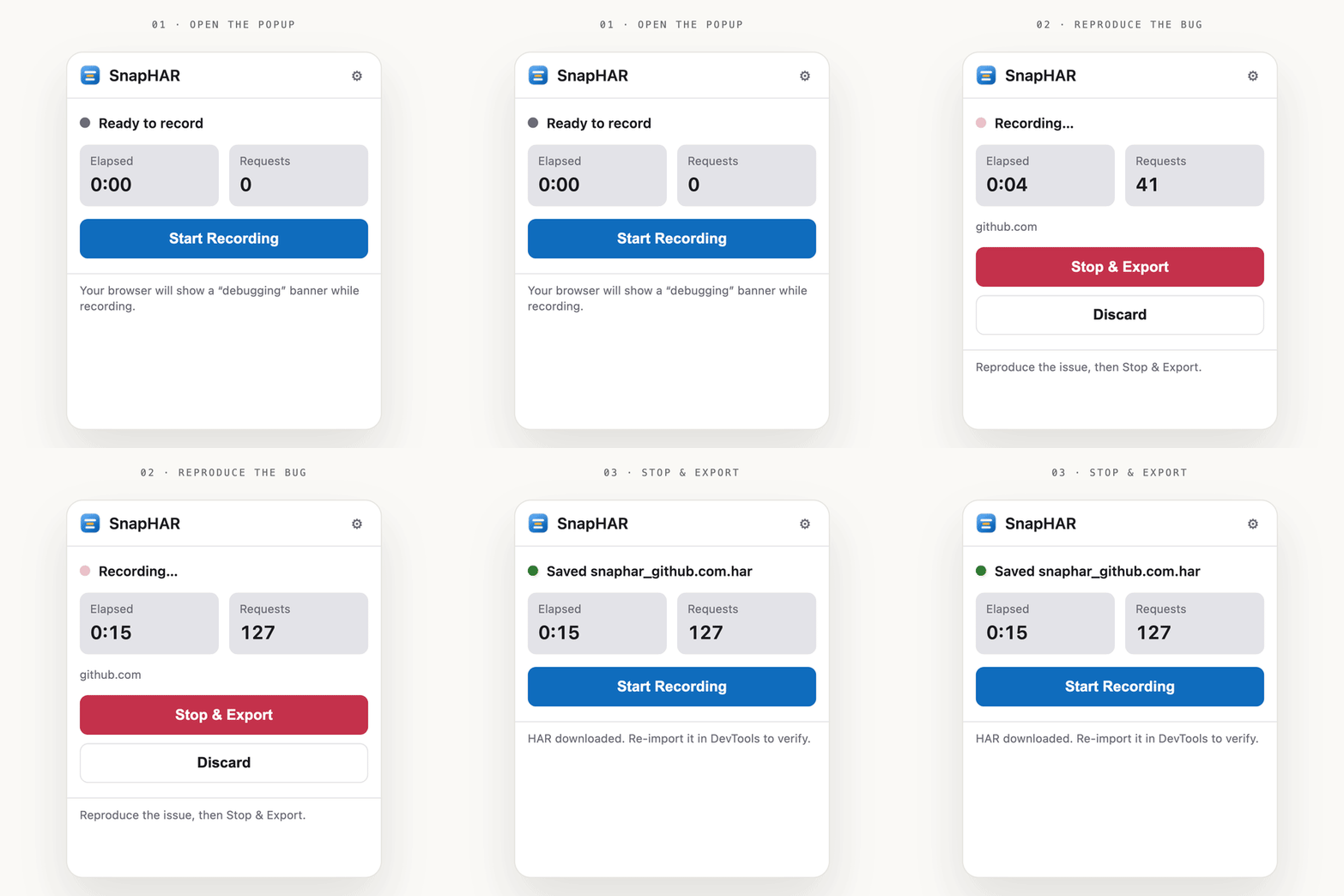
Record straight from the toolbar popup, with a live timer and request count.
Preserve-log by default
Capture survives reloads and redirects. Every hop is its own entry.
Safe by default
Sensitive headers, cookies, and URL tokens are redacted automatically — further than browser DevTools.
Edge, Chrome & Chromium
One Manifest V3 build. The exported HAR records whichever browser you used.
Valid HAR 1.2
Re-import into the Network panel or any analyzer. Bodies and full timings included.
How it works
Hit record
SnapHAR attaches the DevTools protocol to your tab behind the scenes.
Trigger the bug
Reload and click around. Nothing is cleared on navigation.
Save the .har
A valid HAR lands in your Downloads, ready to share or re-import.
Install
Get SnapHAR on the Chrome Web Store → Works in Chrome, Edge & Brave.
# or build from source — load it unpacked
open   edge://extensions   # or chrome://extensions
enable Developer mode
click  Load unpacked → select the folder